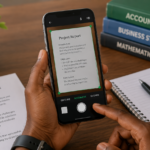
Sunday evening. The weekend is ending. I am sitting on my bed with my phone in hand, a notes app open, and a mild sense of anxiety about the week ahead. If I do not plan now, I will wake up Monday morning with no idea what to post. By noon, I will be scrambling. By evening, I will post something rushed that I am not proud of.
I learned this the hard way. For the first year of creating content, I posted whenever inspiration struck. Some weeks I posted five times. Other weeks I posted nothing. My engagement was inconsistent. My growth was slow. My stress was constant.
Planning changed everything. Not rigid scheduling that kills creativity. Just enough structure that I never wake up wondering what to post. This is exactly how I plan a week of content across Instagram, TikTok, and YouTube.
The Sunday Evening Routine
I start between 7pm and 9pm on Sunday. The house is usually quiet. My data is still active. My brain is calm enough to think ahead.
I open Google Keep on my phone. Any notes app works. I have tried fancy content planning tools and always returned to a simple notes app. Fancy tools add friction. Simple tools get used.
I create a new note titled with the week ahead. For example, “Content Plan May 26 to June 1.” This becomes my workspace for the next hour.
I review the previous week first. I check which posts performed well and which flopped. Instagram insights. TikTok analytics. YouTube Studio. I spend about ten minutes on this review. It tells me what my audience currently responds to.
A post about data saving tips performed well last week. My audience cares about saving money on data. A post about an obscure AI tool nobody has heard of performed poorly. My audience wants practical tools, not novelty.
This review shapes what I plan for the coming week. I am not guessing what to post. I am building on what already worked.
Choosing Topics for the Week
I brainstorm topics based on what worked previously plus what feels relevant right now. I aim for a mix of content types.
Educational content teaches something useful. My audience follows me for practical knowledge. At least two posts weekly must teach something actionable.
Personal content shares behind-the-scenes moments or opinions. This builds connection. One or two posts weekly should feel personal.
Trending content engages with whatever people are discussing right now. If a new app launched or a platform changed something, I create content around that. One trending post weekly keeps my content feeling current.
Promotional content mentions my blog, my email list, or my digital products. I limit this to one post weekly. Audiences tolerate promotion when it is rare and surrounded by value.
I write down four to six topic ideas in my notes app. They are rough. Just a few words per idea. “Data saving tips part 2.” “My editing setup.” “New Instagram feature explained.” “How I film b-roll.”
I do not censor myself during brainstorming. Bad ideas get written down alongside good ones. Editing happens later. Brainstorming is about volume.
Assigning Topics to Platforms
Not every topic works on every platform. I assign each topic to the platform where it fits best.
YouTube gets longer educational content. Tutorials, deep dives, and detailed explanations. My YouTube audience expects thorough content. They will watch a twelve-minute video if the information is valuable.
TikTok gets quick tips, hot takes, and trend responses. My TikTok audience scrolls fast. They need to understand the value in the first three seconds or they move on. Short, punchy, immediately useful content works best here.
Instagram gets a mix. Feed posts for educational carousels and personal updates. Stories for behind-the-scenes moments and quick polls. Reels for short educational clips similar to TikTok but sometimes slightly more polished.
One topic might become a YouTube video, two TikToks, and an Instagram carousel. The content is repurposed. The presentation changes for each platform.
I mark each topic with which platforms it will appear on. My notes app now shows something like “Data saving tips part 2 → YouTube full video + TikTok clip + Instagram carousel.”
Scripting and Outlining
With topics assigned, I outline the content. I do not write full scripts for short-form content. I write bullet points.
For a TikTok about data saving, my outline might look like three bullet points. Hook, which is “Your data finishes fast because of these three settings.” Point one, turn off autoplay. Point two, restrict background data. Point three, use lite apps. Call to action, which is “Follow for more tech tips.”
Three bullet points become a sixty-second video. The outline ensures I cover everything without rambling.
For YouTube videos, I write a more detailed outline. Sections. Key points under each section. Examples I want to mention. The outline guides filming without locking me into a word-for-word script that sounds robotic when spoken.
Outlining takes about ten minutes per piece of content. For six pieces of content across platforms, outlining takes roughly an hour. This hour saves me hours of staring at a blank screen during the week.
Batching Similar Tasks
I batch tasks to reduce context switching. Context switching is the mental cost of moving between different types of work. It wastes time and energy.
I film all video content on one day. Usually Monday or Tuesday depending on my schedule. I set up my recording space once. I film everything back to back. Changing outfits between videos to make it look like different days.
I edit all video content on another day. Usually the day after filming. CapCut for short form. A slightly more involved editor for YouTube. All editing happens in one session. Music, captions, transitions. By the end of the editing session, all videos for the week are ready.
I write all captions on a third day. Usually the morning the posts go live or the evening before. Captions are short for TikTok. Slightly longer for Instagram. Descriptions with links for YouTube.
Batching means my content creation week has three focused work sessions instead of daily scrambling. The rest of the week is for engagement, research, and living my life.
Scheduling and Posting
I schedule what can be scheduled. YouTube allows scheduled publishing. I upload videos on editing day and set them to publish on the designated day. Usually Wednesday or Thursday when my audience is most active.
TikTok does not always surface scheduled content as well as manually posted content. I set reminders on my phone for TikTok posting times. When the reminder goes off, I post manually. It takes two minutes.
Instagram allows scheduling through Meta Business Suite. I schedule carousels and feed posts. Stories I post manually because they are often spontaneous reactions to things happening that day.
My Weekly Content Schedule
| Day | Content Type | Platform | Effort |
|---|---|---|---|
| Monday | Behind-the-scenes / light post | Instagram Stories | Low |
| Tuesday | Quick educational tip | TikTok + Instagram Reels | Medium |
| Wednesday | Full tutorial or deep dive | YouTube + Instagram Carousel | High |
| Thursday | Personal story or hot take | TikTok + Instagram Stories | Medium |
| Friday | Personal or trending post | Instagram Feed | Low |
| Saturday | Optional / rest day | Any | Optional |
| Sunday | Plan for the week ahead | Notes App | Planning |
What Happens When the Plan Falls Apart
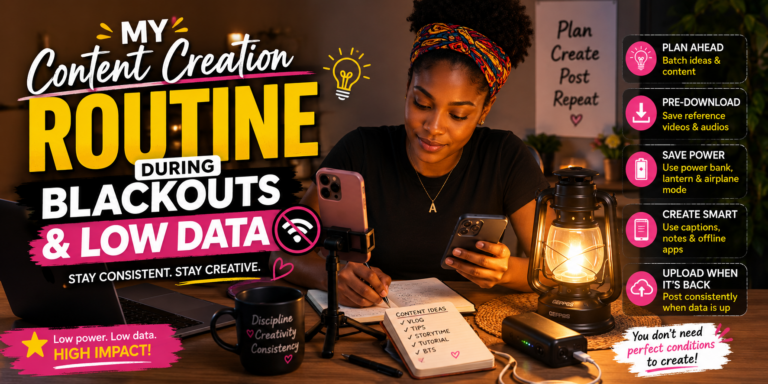
Plans fail. I accept this. A blackout prevents filming. Data finishes before I can upload. Something urgent demands my attention.
When the plan fails, I do not abandon it. I adjust.
If I cannot film on Monday, I film on Tuesday and push the schedule back. If I miss a posting day entirely, I skip it rather than posting rushed content. One missed post is better than one bad post that makes followers lose trust.
If a major trend or news item breaks that my audience needs to know about, I drop the planned content and address the trend. The plan serves me. I do not serve the plan.
The Sunday planning session is not about creating a rigid structure. It is about removing the daily decision of what to post. When Wednesday arrives and my reminder goes off, I post the content I already prepared. No decision fatigue. No last-minute panic. No rushed, low-quality content.
What This Looks Like in Practice
Last week, my plan looked like this. Monday, Instagram story showing my workspace setup. Tuesday, TikTok about a new AI feature I discovered plus the same video as an Instagram Reel. Wednesday, YouTube video about VPNs that work in Nigeria plus an Instagram carousel summarizing the key points. Thursday, TikTok sharing a mistake I made when starting content creation. Friday, behind-the-scenes Instagram post about my editing process with a personal caption. Saturday, I rested.
The plan took one hour on Sunday evening to create. The filming took two hours on Monday. The editing took three hours on Tuesday. The rest of the week was posting, responding to comments, and living normally.
Before planning, I spent more time overall and produced less content. The stress of daily decision-making consumed energy that now goes into actual creation.
Frequently Asked Questions
What if I run out of topic ideas?
I keep a running list in my notes app. Whenever an idea occurs to me during the week, I add it to the list. When Sunday planning arrives, I have a bank of ideas waiting. I rarely start brainstorming from zero.
How far in advance do you plan?
One week at a time. I have tried planning a full month. It does not work for me. Trends change. My interests shift. A weekly plan is flexible enough to adapt and structured enough to prevent chaos.
Do you ever post spontaneously?
Yes. About twenty percent of my content is spontaneous. Something happens. I react. I post. The planned content provides the foundation. Spontaneous content adds freshness. The balance works.
What if my audience does not engage with planned content?
I check analytics. If something underperforms, I note it during Sunday review and adjust next week’s plan. Low engagement is feedback, not failure. The plan improves over time as I learn what my audience values.
Can a beginner plan content or does this only work with experience?
Beginners benefit from planning even more than experienced creators. When you are new, every post feels high stakes. Planning removes the daily pressure of deciding what to post. It lets you focus on improving quality instead of scrambling for ideas.
Plan Your Week Tonight
Open your notes app. Create a new note. Write the dates for the coming week. Brainstorm four to six topics. Assign each topic to the platforms you use. Outline the content with bullet points.
The plan does not need to be perfect. It just needs to exist. A rough plan followed is better than a perfect plan abandoned. Start planning Sunday evenings. Within a month, you will wonder how you ever created content without this habit.