Typing on a phone is slow. Typing long documents is painful. For many Nigerians, the obvious solution is voice typing. You speak and the phone converts your words to text. It should be faster and easier than tapping on a tiny keyboard.
The problem is that most voice recognition systems were trained on American and British accents. When a Nigerian speaks, the results range from amusing to unusable. “I am going to the market” becomes something completely different with a strong Nigerian accent.
But voice recognition has improved significantly. Several apps now handle Nigerian accents better than they did even two years ago. This post identifies the dictation apps that actually understand how Nigerians speak.
Why Nigerian Accents Challenge Voice Recognition
Understanding the problem helps you choose the right solution.
Voice recognition systems learn from training data. Most training data comes from native English speakers in the United States and United Kingdom. Nigerian English has different vowel pronunciations, different syllable stress patterns, and different intonation.
Nigerian English also includes local vocabulary. Words like “okada,” “danfo,” “mama put,” and “agbada” do not appear in standard English training data. A voice recognition system that has never encountered these words will either ignore them or convert them to something nonsensical.
Code-switching adds another layer of complexity. Nigerians frequently mix English with Pidgin or indigenous languages in the same sentence. “I wan go market make I buy some things” switches between Pidgin and English. Most voice recognition systems are designed for single-language input.
Despite these challenges, some apps have become surprisingly good at understanding Nigerian speech. The improvement comes from better AI models and, in some cases, training data that includes more diverse accents.
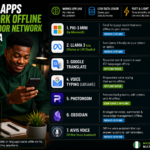
1. Google Gboard Voice Typing
Gboard is the default keyboard on most Android phones and it is available for iPhone. Its voice typing feature is the best free option for Nigerian users right now.
Google has invested heavily in accent diversity. Their voice recognition models have been trained on data from around the world including African English speakers. The result is noticeably better comprehension of Nigerian accents compared to older versions.
The voice typing works inside any app where the keyboard appears. WhatsApp messages, email drafts, document editing, social media posts. You tap the microphone icon on the keyboard and start speaking. The text appears in real time.
Gboard handles moderate Nigerian accents well. If your accent is very thick, accuracy drops but remains usable for short messages. The system improves as it learns your voice patterns over time.
Punctuation works by voice command. You say “comma,” “full stop,” “question mark,” and the system inserts them. This takes practice but becomes natural with regular use.
The offline mode is limited. Basic voice typing works without internet on some Android phones but accuracy decreases significantly. For best results, use Gboard voice typing with an active internet connection.
Gboard is completely free with no premium tier. It is already installed on most Android phones. iPhone users can download it from the App Store.
2. Otter
Otter is designed for transcription rather than quick messaging. It records conversations and meetings then converts them to text. It is popular among journalists, students, and professionals who attend many meetings.
Otter’s strength is handling multiple speakers. In a meeting with several Nigerians talking, Otter does a reasonable job separating who said what and transcribing their words accurately.
The app allows you to train it to recognize your specific voice. You read a few sentences during setup and Otter builds a voice profile. This personalization significantly improves accuracy for Nigerian speakers.
Otter works in real time. Words appear on screen as people speak during a meeting. You can highlight key points and add notes while recording. The transcript is searchable afterward.
The free plan includes 300 minutes of transcription monthly. Each session is capped at 30 minutes. For students recording lectures and professionals recording meetings, the free tier is often sufficient.
Nigerian accents with clear pronunciation are transcribed well. Heavy accents or very fast speech reduce accuracy. Speaking clearly and at a moderate pace improves results noticeably.
Otter works on both Android and iPhone. An internet connection is required for transcription to work.
3. Microsoft Dictate (Built into Office and Windows)
Microsoft has integrated voice typing into Word, Outlook, OneNote, and other Office applications. The dictation tool uses Microsoft’s speech recognition technology.
The accuracy for Nigerian accents is competitive with Google’s offering. Microsoft has improved its models for diverse English accents in recent years. The dictation handles moderate Nigerian accents well enough for drafting documents and emails.
The advantage of Microsoft Dictate is integration. If you already use Microsoft Word for document creation, the dictation feature is built in and ready to use. No additional app required.
Voice commands handle formatting. You say “new line,” “bold that,” or “start list” and the system applies the formatting. This makes it useful for longer documents where you want to focus on content rather than formatting.
Microsoft Dictate is free within Microsoft Office. If you have Office installed on your phone or laptop, you already have access.
4. Speechnotes
Speechnotes is a dedicated dictation app available for Android. It is designed specifically for converting speech to text rather than being a general-purpose keyboard feature.
The app uses Google’s speech recognition engine which means the accuracy is similar to Gboard. The advantage is the interface which is optimized for long-form dictation.
Speechnotes includes a punctuation keyboard that floats on screen. Instead of voice commanding punctuation which can be unreliable, you tap punctuation marks from the floating keyboard while continuing to speak. This hybrid approach produces more accurate results for lengthy documents.
The app works offline for basic dictation. Accuracy decreases without internet but the feature is useful when network is unavailable.
A counter tracks words spoken and estimated typing time saved. This is satisfying for users who produce a lot of written content and want to see their productivity improvement.
Speechnotes is free with ads. A premium version removes ads and adds features. For most Nigerian users, the free version provides everything needed.
5. Apple Dictation (Built into iPhone)
iPhone users have Apple Dictation built into the operating system. It works across all apps where the keyboard appears.
Apple has improved its speech recognition for diverse accents but it still lags behind Google in understanding Nigerian English. Users with mild accents get decent results. Users with strong accents experience more errors.
The advantage is deep integration with the Apple ecosystem. Dictation works everywhere without installing additional apps. It is private by design with more processing done on device.
Siri, Apple’s voice assistant, also responds to Nigerian accents. Setting Siri to UK English rather than US English sometimes improves recognition for Nigerian users.
Apple Dictation is completely free with no setup required. It works on all iPhones with recent iOS versions.
6. Dictation.io (Web-Based)
Dictation.io is a free website that converts speech to text using your browser. It works on both Android and iPhone through Chrome.
The site uses Google’s speech recognition so accuracy is identical to Gboard voice typing. The advantage is simplicity. You open the website, tap the microphone, and speak. No app installation required.
Dictation.io is useful for quick transcription sessions on borrowed devices or public computers. You do not need to install anything or log into an account.
The transcribed text can be copied to clipboard, saved as a text file, or emailed directly from the site. For users who need occasional transcription without committing to an app, this is the simplest option.
Tips for Better Dictation Results with Nigerian Accent
Speak clearly and at a moderate pace. Rushing your words reduces accuracy for any accent. Slowing down slightly improves recognition noticeably.
Reduce background noise. Nigerian environments can be loud. Generators, street noise, and crowd sounds confuse voice recognition. Move to a quieter space when possible.
Use an external microphone if available. Phone microphones pick up ambient noise. A basic headset microphone focuses on your voice and improves accuracy.
Train the system where possible. Apps like Otter that offer voice training should be trained with your specific voice. The few minutes spent reading setup sentences pays off in long-term accuracy.
Speak in full sentences. Voice recognition uses context to predict words. Speaking in fragments removes context and increases errors.
Correct errors as you go. If the system consistently mishears a specific word you use frequently, manually type that word a few times. Some systems learn from corrections.
When to Use Typing Instead
Dictation is not always the right choice. In very noisy environments, typing is more accurate. For messages with many numbers, abbreviations, or technical terms, typing produces fewer errors. When privacy is critical and you are in a public space, typing avoids speaking sensitive information aloud.
For most everyday communication, dictation with a good app is faster than typing and accurate enough to be practical. The technology has improved enough that Nigerian users no longer need to avoid voice typing entirely. Start with short messages. Build confidence. Gradually use dictation for longer content as you learn which apps work best with your specific accent.