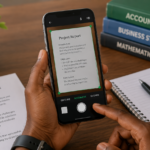
A company emails you a contract. You need to sign it and return it. Printing the document, signing with a pen, and scanning it back requires a printer, a scanner, and time. You have none of these things at the moment. The deadline is today.
Digital signatures solve this. You sign documents directly on your phone without printing or scanning. The signature looks clean and professional. The document returns to the sender within minutes instead of hours.
Nigerian businesses, freelancers, and job seekers increasingly need this capability. Contracts arrive via email. Offer letters need acceptance. Forms require signatures. Knowing how to sign digitally from your phone saves time and removes friction from professional transactions.
The Difference Between Digital and Electronic Signatures
A clarification first because the terminology confuses people.
An electronic signature is any electronic indication of consent. A typed name at the end of an email. A photo of your handwritten signature pasted into a document. A signature drawn on a phone screen. These are legally recognized in many contexts but are not cryptographically secured.
A digital signature involves encryption and verification. It proves the document has not been altered since signing and confirms the signer’s identity. Digital signatures use certificate-based technology and carry more legal weight.
For most everyday Nigerian needs which includes employment contracts, freelancer agreements, vendor forms, and internal approvals, an electronic signature is sufficient. The methods in this guide cover electronic signatures that look professional and are practical for phone use.
Method 1: Adobe Fill and Sign
Adobe Fill and Sign is a free app from Adobe available for Android and iPhone. It is designed specifically for signing documents from mobile devices.
Open the app and select the document you need to sign. The document can be a PDF from your email, a file from cloud storage, or a photo of a printed document. Adobe converts photos to PDF automatically.
Tap the signature tool. You have three options. Draw your signature directly on the screen with your finger. Type your name and select a font that resembles handwriting. Upload a photo of your signature written on paper.
The drawn signature takes practice. Your finger is less precise than a pen. Drawing slowly produces a better result. If the first attempt looks messy, clear it and try again. Three or four attempts usually produce an acceptable signature.
Once the signature is created, Adobe saves it for future use. You never need to draw it again. Place the saved signature on any document with a single tap.
Position the signature where needed. Resize it to fit the signature line. Add additional text like date, printed name, or other required information. Save the completed document. Share via email, WhatsApp, or any other method directly from the app.
Adobe Fill and Sign is completely free for basic signing. Advanced features require a subscription but document signing is fully available without payment.
Method 2: Google Drive PDF Annotation
Google Drive includes a PDF annotation feature that many users overlook. If you already use Gmail and Google Drive, this method requires no additional apps.
Open Google Drive on your phone. Locate the PDF you need to sign. Tap to open it. In the bottom right corner, look for the annotation icon which resembles a pen.
The annotation toolbar appears. Select the pen tool. Choose colour and thickness. Draw your signature directly on the document with your finger. Pinch to zoom in on the signature area for more precise drawing.
Undo and redo buttons allow correction of mistakes. Draw your signature slowly on the zoomed-in area. When satisfied, save the document. Google Drive saves the annotated version as a new copy by default, preserving the original unsigned document.
This method works on both Android and iPhone through the Google Drive app. It is completely free with no limitations on usage.
Method 3: Microsoft Office Mobile
Microsoft Office mobile apps include PDF signing capabilities. Word, in particular, handles PDF conversion and signing.
Open Microsoft Word on your phone. Browse to the PDF file. Word converts the PDF to an editable document. This conversion is reasonably accurate for text-heavy documents.
Once open, you can add a signature image. If you have a photo of your handwritten signature saved in your gallery, insert it as an image. Position it on the signature line. Resize as needed.
Export the document back to PDF format. The signature is now part of the PDF. Share directly from Word.
This method requires having a pre-existing image of your signature. Create this once, save it to your phone, and reuse it across all documents.
Creating a Clean Signature Image
For methods that use a signature image, creating a clean original is worth the initial effort.
Write your signature on plain white paper using a dark pen. Black or blue ink works best. Write larger than normal. A larger original scaled down looks cleaner than a small original scaled up.
Photograph the signature in good natural light. Avoid shadows across the paper. Hold the phone steady and fill the frame with the signature area.
Use a background removal tool to isolate the signature from the white paper. Remove.bg offers free background removal. Upload the photo, download the image with transparent background. The result is a clean signature that can be placed on any document without a white rectangle surrounding it.
Save this signature image to your phone gallery. Use it with any app that accepts image insertion.
Method 4: SignEasy
SignEasy is a dedicated signing app with a generous free tier. Available for Android and iPhone.
The free plan allows three documents per month. For occasional signers, this is sufficient. The interface guides you through the signing process step by step.
Create your signature once. SignEasy saves it. Open any document. Tap where you want to sign. The signature appears. Drag to position. Add date, text, or checkmarks if needed. Email the signed document directly from the app.
SignEasy also supports requesting signatures from others. Send a document to someone else and ask them to sign. Useful for freelancers who need client approvals on contracts.
The premium plan removes the monthly document limit. For regular signers, the subscription justifies itself through time saved.
Method 5: Canva
Canva is widely used for design but also handles document signing through PDF editing.
Upload a PDF to Canva. The document opens in the Canva editor. Use the draw tool to create a signature directly on the document. Alternatively, upload a signature image and position it.
Canva’s advantage is precise positioning. The editor provides guidelines and snapping that help place the signature exactly where intended. Zoom controls allow detailed placement.
Export the signed document as a PDF. Canva free plan allows PDF export without watermarks on uploaded documents.
Method Comparison Table
| Method | Free | Best For | Signature Creation | Saved Signature |
|---|---|---|---|---|
| Adobe Fill and Sign | Yes | Regular signers | Draw, type, or upload | Yes |
| Google Drive | Yes | Existing Google users | Draw on PDF | No |
| Microsoft Word | Yes | Office users | Insert signature image | No |
| SignEasy | 3 docs/month | Professional signing | Draw or upload | Yes |
| Canva | Yes | Precise placement | Draw or upload | No |
Legal Standing in Nigeria
Electronic signatures are legally recognized in Nigeria under the Cybercrime Act and the Evidence Act. An electronic signature is admissible as evidence in legal proceedings. For most business and employment documents, electronically signed documents carry the same weight as physically signed ones.
Certain documents require physical signatures by law. Property transfers, wills, and certain court documents typically require wet ink signatures. When in doubt, confirm with the requesting party whether electronic signatures are acceptable.
For international documents, electronic signatures are widely accepted. Most countries have legislation similar to Nigeria’s recognizing electronic signatures. Major platforms like DocuSign and Adobe Sign provide legally compliant digital signature solutions used globally.
Frequently Asked Questions
Is a photo of my signature secure to use?
A signature image file is not cryptographically secure. Anyone with access to the image could potentially place it on documents. Keep your signature image stored privately. For high-security documents, use dedicated signing platforms that provide verification features.
Can I use these methods for bank documents?
Most Nigerian banks do not accept electronic signatures for account opening or major transactions. They typically require physical signatures. Check with your specific bank. Digital banking platforms use their own authentication methods separate from document signatures.
What if the document requires multiple signatures?
All methods described support multiple signature placements. Adobe Fill and Sign, SignEasy, and Google Drive annotation all allow adding text, dates, and initials in addition to signatures. Place each required element individually.
Can I sign Word documents, not just PDFs?
Convert Word documents to PDF before signing. Sending a signed Word document allows the recipient to modify the content, which may not be desirable. PDF with signature provides a more stable final document.
How do I know if my signature looks professional?
Draw your signature several times and compare. The best electronic signatures are slightly larger than you expect and drawn slowly. Rapid finger movements produce jagged lines. Slow deliberate strokes produce smoother curves.
Sign Something Today
Open Adobe Fill and Sign or Google Drive. Find a document that needs signing or use a blank PDF for practice. Create your signature. Place it on the document. Save and share.
The process takes five minutes the first time. It takes two minutes every time after that. No printer. No scanner. No cybercafe queue. Just your phone and a document that returns to the sender signed while they still remember why they sent it to you.