Network failure is part of daily life in Nigeria. You open an app to get something done and the loading wheel spins endlessly. Your signal bars drop from four to one for no obvious reason. You need help right now but the internet decides it is on break.
AI apps usually demand stable internet. Most of them process your requests on remote servers. No connection means no AI. That is the general rule.
But there are exceptions. Some AI tools work partially offline. Others are designed to function on very weak connections where normal apps give up. I tested several AI applications under real Nigerian network conditions to find which ones still deliver when the network is bad or completely absent.
These are the AI tools you can rely on when MTN and Airtel are doing their worst.
Microsoft Math Solver
This app is the champion of offline AI in Nigeria. It solves mathematics problems and it does not need the internet for most functions.
The core solver works completely offline. You type a problem or use the camera to scan an equation and the app processes everything on your device. No data connection required. You can be in a village with zero signal and still solve complex equations.
The step-by-step explanations are stored locally once loaded. If you previously solved similar problems while online, the app references those solutions offline. This makes it perfect for exam preparation in areas with unreliable network.
The app is free with no hidden subscriptions. It covers arithmetic, algebra, trigonometry, calculus, and statistics. For students in STEM courses, this is the most practical AI tool available.
Download size is around 25MB. Once installed, you can use it indefinitely without spending a single megabyte of data.
Google Lens (Offline Mode)
Google Lens is the visual AI tool built into the Google app and Google Photos. Most people do not realize it has offline capabilities.
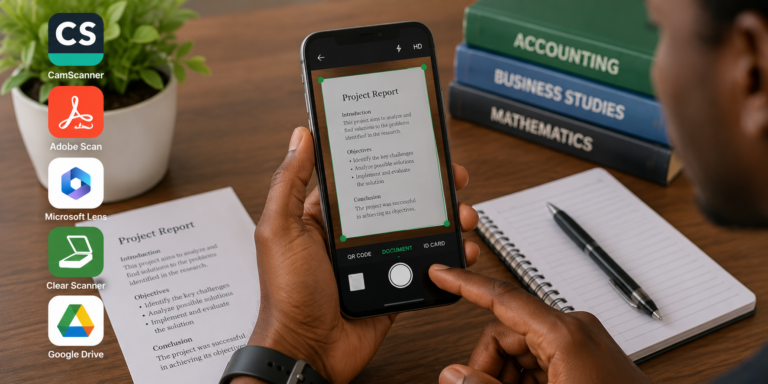
You can point your camera at text in a book or on a sign and Lens will recognize and extract that text offline. The optical character recognition processes on your device. You can copy text from physical documents without internet.
Translation also works offline if you download language packs in advance. Download the English and your preferred Nigerian language packs while on WiFi. After that, pointing Lens at text allows translation without data connection.
Object and landmark recognition still require internet. But text extraction and translation are available offline if you prepare the language packs beforehand.
This tool is already on most Android phones. You do not need to install anything new. Just open the Google app or Google Photos and look for the Lens icon.
ChatGPT (Offline Drafts)
ChatGPT itself requires internet to generate responses. There is no way around that. But the app allows you to draft questions offline and sync them when you reconnect.
When your network drops, open the ChatGPT app and type your question. The app saves it as a pending draft. Once you regain connection, it sends the question and retrieves the answer automatically.
This is useful for Nigerian users who move in and out of network coverage. You can compose several questions while offline on a bus or in a lecture hall with poor signal. The moment you step into an area with network, your answers appear.
The app also caches recent conversations. If you discussed a topic yesterday, you might be able to scroll back and read that conversation even with weak signal. The cache is not permanent but it helps.
Poe (Cache and Queue Features)
Poe handles poor network better than most AI chat apps. It does not crash or freeze when signal drops. It waits patiently and resumes when connection returns.
The app caches your conversation history aggressively. Old conversations remain readable even when your current connection is poor. This saves you from losing important information mid-conversation.
Poe also queues your prompts. You type a question on a weak 2G signal. Instead of failing, Poe holds the prompt and sends it when data flow improves. The response arrives when it arrives.
This queue behaviour is automatic. You do not need to change any settings. The app is designed to handle unstable connections gracefully.
The text-only interface helps. Poe does not waste bandwidth loading images or videos unless you ask for them. On a weak connection, text messages squeeze through when richer media would fail entirely.
Google Keep (AI-Powered Transcription)
Google Keep is a note-taking app with AI features that work offline.
The voice transcription feature lets you speak your thoughts and converts them to text. This processing happens on Google’s servers when you are online. But Keep also allows you to record voice notes offline and transcribe them later when you reconnect.
This is incredibly useful for Nigerian creators and students. You have an idea while walking on campus with no data. Open Keep, record your voice note, and save it. When you return to WiFi, the app transcribes the recording into searchable text.
The OCR feature also works offline partially. If you take a photo of a document or whiteboard while offline, Keep will make the text in that image searchable once you regain connection.
Keep is free and comes pre-installed on many Android phones. For iPhone users, it is a free download from the App Store.
Snapchat My AI (Text-Only Mode)
Snapchat processes My AI queries on its servers so full offline use is not possible. But My AI works surprisingly well on very weak connections.
The text-based AI feature uses minimal data. A single question and answer exchange uses less data than loading one Snapchat story. On a weak 3G connection where Instagram and TikTok are completely unusable, My AI often still responds.
If you already have Snapchat installed for social purposes, My AI becomes your emergency AI assistant when other apps fail due to network. It is not the most powerful AI but it answers basic questions reliably on poor connections.
Switch Snapchat to Travel Mode in settings to reduce background data usage. This prevents stories and snaps from preloading and reserves your limited bandwidth for the features you actually want to use.
Offline Language Translators
Dedicated translation apps with offline packs are AI-powered and work without internet.
Google Translate allows you to download language packs for offline use. Download English and Hausa, Igbo, or Yoruba while on WiFi. After that, text translation between those languages works without any data connection.
Microsoft Translator also supports offline packs. The camera translation feature works offline for downloaded languages. You point your camera at a sign or document and see the translation overlaid on your screen.
These translation apps use neural machine translation which is AI technology. Having offline language support on your phone means you are carrying AI translation in your pocket regardless of network status.
Otter (Offline Recording)
Otter is an AI transcription app popular with journalists and students. It records conversations and transcribes them into text.
The app allows offline recording. You record the conversation while network is unavailable. When you reconnect, Otter uploads the audio and generates the transcript. The recording function does not require internet at all.
This is practical for Nigerian settings. You are in a meeting or lecture with poor signal. You record on Otter. Hours later when you have WiFi, the transcripts generate automatically.
The free plan includes several hours of transcription monthly. The app is available for both Android and iPhone.
Preparing Your Phone for AI Use During Network Downtime
Download AI apps on WiFi when possible. The initial installation and data files are the largest data consumers. Get that out of the way before you need the apps in poor network conditions.
Enable offline features before you need them. Download language packs, cache maps, and save frequently used files while you have good connection. The time to prepare for network failure is when the network is working.
Turn off background data for apps that consume bandwidth silently. Social media apps, cloud storage sync, and automatic updates eat data that your AI tools could use on a weak connection.
Keep your AI apps updated on WiFi. Updates often include performance improvements that make offline and low-connectivity modes work better.
Restart your phone periodically. This clears temporary network issues and refreshes your connection to nearby cell towers. Sometimes poor network is a phone problem, not a network problem.
The Reality of Offline AI
True offline AI is still limited on phones. The most powerful AI models require cloud servers. Your phone’s processor cannot run a full ChatGPT or image generator locally.
But the tools listed above provide meaningful AI assistance during network downtime. Math solving, text extraction, offline translation, voice note recording, and question queuing keep you productive when the internet fails.
As phone processors become more powerful, offline AI capabilities will improve. Some Android phones now run small AI models directly on the device. In a few years, offline AI will be common. For now, the tools above are the best options for Nigerians dealing with unreliable networks.