Owambe is not just a party. It is a culture. Nigerians spend serious money on aso ebi, gele tying, makeup, and photography. After the event, the photos must reflect the effort. Nobody wants to post dull pictures after spending hours preparing.
Professional photo editing used to require a laptop, expensive software like Photoshop or Lightroom, and skills that took months to learn. Most people simply posted raw photos or relied on the event photographer who took weeks to deliver edited versions.
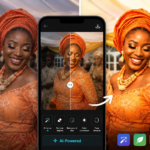
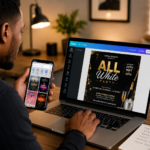
AI has changed this. You can now edit your owambe photos on your phone in minutes using free AI tools. No design skills needed. No laptop required. This post covers the best free AI tools for giving your event photos that polished, radiant look before they hit your WhatsApp status, Instagram, or Facebook.
What Makes Owambe Photo Editing Different
Editing owambe photos is not the same as editing regular selfies. There are specific things Nigerian event photos need.
The colours must pop. Aso ebi comes in vibrant shades. Ankara prints are bold and detailed. The editing should enhance these colours, not wash them out or make them look fake.
Group shots need everyone to look good. Owambe photos often feature large groups. One person looking perfect while others are underexposed or blinking ruins the shot. Good editing balances the entire frame.
Lighting conditions vary wildly. Some events happen in bright outdoor tents. Others in dimly lit halls with harsh spotlights. The editing tool must handle different lighting situations gracefully.
Skin tones must look natural. Nigerian skin tones range from deep ebony to light caramel. AI tools trained mostly on non-African faces sometimes lighten skin or smooth texture in unnatural ways. The best tools preserve natural skin tones while enhancing clarity.
Backgrounds are often busy. Owambe venues are filled with decorations, guests, and servers moving around. A good editing tool should help the subjects stand out from the background without making the photo look obviously edited.
1. Remini
Remini is the most popular AI photo enhancer among Nigerian users right now. It is free with ads and a premium option for heavy users.
The app uses AI to sharpen blurry photos, enhance facial details, and improve overall image quality. Group photos where faces look slightly soft become crisp. Selfies where lighting was poor become bright and clear.
How to use it for owambe photos: Open Remini, tap enhance, and select the photo from your gallery. The AI processes the image and presents an enhanced version. You can adjust the enhancement strength. Save the result to your phone.
Remini works well for individual portraits and close-up shots. For wide group shots, the results are decent but faces in the back row may not get the same detail improvement as people in front.
The free version allows a few enhancements daily. For casual use after an event, this is enough. If you edit photos professionally for clients, the paid version removes limits.
2. Snapseed
Snapseed is Google’s free photo editing app and it includes several AI-powered features. It is completely free with no ads and no premium upgrades.
The Portrait mode automatically detects faces and allows you to adjust lighting, skin smoothing, and eye clarity independently. This is useful for making sure every face in a group shot looks properly lit.
The HDR Scape filter brings out details in both bright and dark areas of a photo. If your owambe photo has some people in direct sunlight and others in shadow, HDR Scape balances the exposure so everyone is visible.
The Healing tool uses AI to remove unwanted objects. Photo bombers, stray chairs, or electrical wires in the background can be tapped away. The tool fills the space with surrounding pixels intelligently.
The Brush tool lets you selectively adjust exposure, saturation, and temperature on specific parts of the image. Brighten a dark face. Add saturation to dull aso ebi fabric. Warm up a cold background.
Snapseed requires more manual adjustment than fully automatic tools. But the results look more natural because you control exactly what changes. For the best owambe photos, automatic enhancement plus manual touch-ups produces the most professional results.
3. Adobe Lightroom Mobile (Free Version)
Lightroom is the industry standard for photo editing and the mobile version is powerful and free for most features.
The Auto button uses AI to analyze your photo and apply balanced adjustments to exposure, contrast, highlights, shadows, whites, and blacks. It gives you a starting point that you can then fine-tune manually.
The Colour Mixer lets you adjust specific colours individually. This is perfect for owambe photos. Boost the specific shade of green in the aso ebi without affecting skin tones. Make the gold jewellery pop without making everything else warm.
The Presets feature includes free community presets. You can download presets designed for event photography, apply them to your photo with one tap, and adjust as needed. Some Nigerian creators even share owambe-specific presets for free on social media.
The Detail panel sharpens images and reduces noise. Party halls with dim lighting often produce noisy grainy photos. The noise reduction slider cleans this up while preserving detail.
Lightroom has a learning curve if you want to use all features. But for basic enhancement, the Auto button plus a few preset tries is enough for excellent results.
4. Pixlr
Pixlr is a browser-based editor that also has a mobile app. It is free with optional premium features.
The AI Cutout tool automatically detects people and removes the background. This is useful for creating solo shots from busy owambe photos. Remove the cluttered background and replace it with a clean colour or a subtle pattern.
The Auto Fix feature analyzes your photo and adjusts brightness, contrast, and saturation in one tap. Results are usually good and can be dialled back if they feel too intense.
The cosmetic filters include options for smoothing skin, whitening teeth, and enhancing eyes. Use these sparingly. The goal is to look like your best self, not like a different person. Nigerian social media will notice and comment if the editing is too obvious.
Pixlr also includes text and sticker overlays. Adding event details, hashtags, or simple decorative elements before posting saves you from opening a separate app.
5. YouCam Perfect
YouCam Perfect is specifically designed for beautification and portrait editing. The free version includes AI tools that work well for close-up owambe portraits.
The AI Skin tool smooths texture while preserving natural details like pores and fine lines. The result looks like good lighting and good skin, not like a plastic filter.
The AI Makeup tool adds virtual makeup including lipstick, eyeshadow, and contour. If your makeup faded during the event, this tool restores it digitally. Choose subtle shades that match what you actually wore for the most natural look.
The Body Tuner allows slight adjustments to posture and shape. Use with extreme restraint. Nigerians are quick to call out obviously warped backgrounds from overuse of body editing tools.
The Object Removal tool works like Snapseed’s Healing tool. Remove distractions from the background with a tap.
6. Fotor
Fotor combines AI enhancement with creative filters. The free version is generous and the app is easy to navigate.
The 1-Tap Enhance feature uses AI to analyze and improve the photo automatically. It adjusts lighting, sharpness, and colour balance. Results are usually natural-looking, not overprocessed.
The Beauty tool includes AI skin retouching, face slimming, and eye brightening. As with all beautification tools, the lightest touch produces the most believable results.
Fotor also includes collage templates. If you want to post multiple owambe photos in one frame, the templates make arrangement easy. Choose a layout, drop in your photos, and export.
Tips for Natural-Looking Owambe Photo Edits
Start with the best original photo you have. AI can improve a good photo. It cannot save a photo that is completely out of focus or severely underexposed. Choose your best shots before editing.
Enhance, do not transform. The goal is to make the photo look like a better version of what the camera captured. If the photo no longer looks like you, the editing has gone too far.
Preserve skin texture. Completely smooth, textureless skin looks artificial. Good AI tools enhance skin while keeping natural texture visible. Use skin smoothing sliders at low to medium levels.
Keep group shots balanced. When editing a group photo, ensure the same adjustments apply to everyone. One person looking noticeably more edited than others ruins the natural feel.
Match the lighting direction. If the original photo has light coming from the left, do not edit in a way that makes light appear to come from the right. Inconsistencies make photos feel off even if viewers cannot explain why.
Save an unedited copy. Before you start editing, duplicate the original photo. If you go too far with edits, you can always start fresh from the original.
Common Mistakes That Ruin Owambe Photos
Over-brightening skin until it glows unnaturally. Nigerian skin tones are beautiful. Do not edit them into a lighter shade thinking it looks better. It does not. It looks obvious and unnatural.
Over-sharpening until the photo looks grainy. A little sharpness improves detail. Too much creates a harsh, digital look.
Adding too much saturation until colours bleed. Aso ebi is already vibrant. Boosting saturation too high makes fabrics look neon and unrealistic.
Overusing background blur. Fake background blur (bokeh) applied by AI tools often looks imprecise. Hair edges get blurred incorrectly. Parts of clothing get cut off. If your phone did not capture natural background blur, do not force it artificially.
Practice Before the Event
Do not wait until after the owambe to learn these tools. Download two or three of them now. Practice on old photos. Get comfortable with the controls.
When the event photos arrive, you will know exactly which tool to use and how to get the look you want. The editing will take minutes instead of hours and the results will be consistently good.
Post with pride. Your owambe photos represent your culture, your people, and your joy. A little AI enhancement makes them shine while keeping them authentically you.